
Storyrod™
Scan a room. Get a plan, a takeoff, and a client-ready PDF.
Beta: through TestFlight, 50 places
- Job
- Room plans and material takeoffs
- You give it
- A walk-through: LiDAR scan, camera corners or a sketch
- You get
- A floor plan, a material takeoff, an estimate and a PDF
- Runs on
- iPhone & iPad beta
- Account
- None needed
Overview
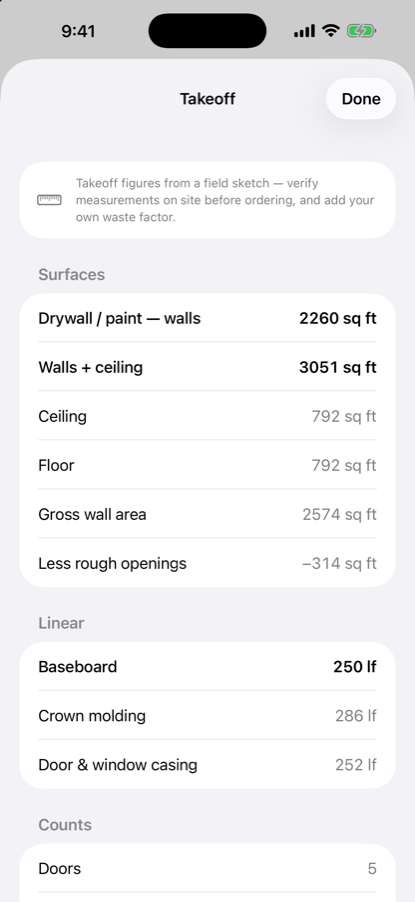
Storyrod turns a walk-through of a room into an editable floor plan, a material takeoff, an estimate at your own rates and a PDF with your logo, before you leave the job site. Scan Room uses LiDAR on iPhone Pro and iPad Pro; other iPhones measure with the camera, and any device can sketch by hand. Every wall shows where its length came from, so you know which ones to tape.
Features
- Editable floor plan
- A LiDAR scan, camera corners or a hand sketch becomes a dimensioned plan; correct any wall by typing the real measurement.
- Automatic material takeoff
- Drywall, baseboard, crown molding, and casing quantities recompute automatically as the plan changes.
- 3D preview
- See the scanned room in three dimensions before ever leaving the site.
- Client-ready PDF export
- Hand off a polished plan and takeoff on the spot, instead of hand-scrawled notes.
See it work
storyrod.app — the product site