LocalStudio
One recording becomes a clean episode, show notes, a cover and captioned 9:16 clips, processed on your iPhone or iPad.
listed as PocketOps LocalStudio; iPhone and iPad, iOS 26 or later
Transcription and plain-text transcripts are free, and your first 3 Pro exports are free too (a whole Episode Pack counts as one). LocalStudio Pro unlocks every tool, SRT and VTT caption files and clips without the watermark: $29.99 a year or $3.99 a month, each with a free first week for new subscribers, or $49.99 once for Lifetime. US prices.
- Job
- Episodes, notes and clips from one recording
- You give it
- One audio or video recording
- You get
- A clean episode, show notes, a cover and captioned 9:16 clips
- Runs on
- App Store · iPhone & iPad
- Account
- None needed
Overview
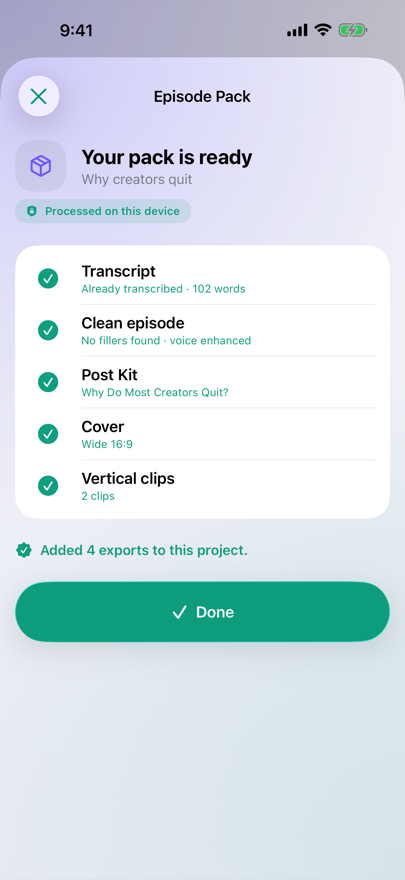
Open a video or voice memo and tap Episode Pack. LocalStudio transcribes it, cuts the ums and enhances the voice into a clean episode, writes a Post Kit (titles, a description, chapters and key points), makes a cover, and renders vertical clips with word-highlight captions.
Each step shows its status, and the original recording is never changed. The work runs on the device with Apple’s speech, audio and vision frameworks, and your media stays in the app’s private storage.
No account, no ads. Post Kit and the clip ranking that uses Apple Intelligence need a device with Apple Intelligence turned on; every other step works without it.
Features
- Episode Pack
- One action runs Transcript, Clean episode, Post Kit, Cover and Vertical clips. Turn off any step you don’t want; a step your device can’t run is skipped and the rest still finish.
- Word-timed transcript and caption files
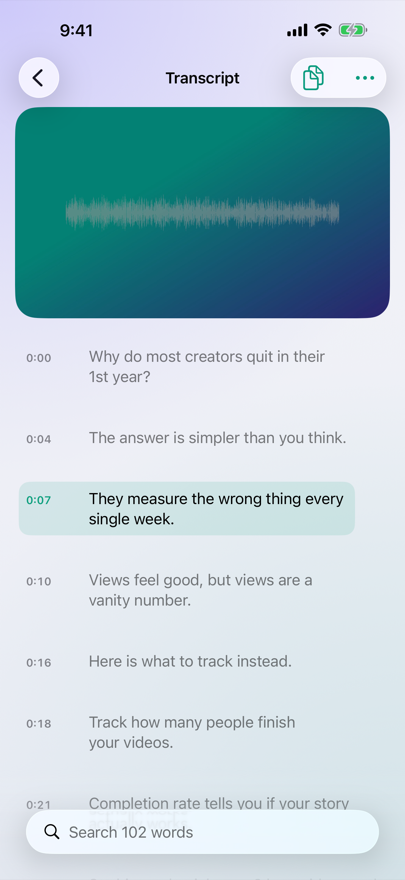
- Transcribe times every word. Tap a line to jump the player there, search or copy the text, and export plain text for free or SRT and VTT caption files with Pro. Translate adds caption files in another language (text only).
- Trim Silence, Remove Fillers, Enhance Voice
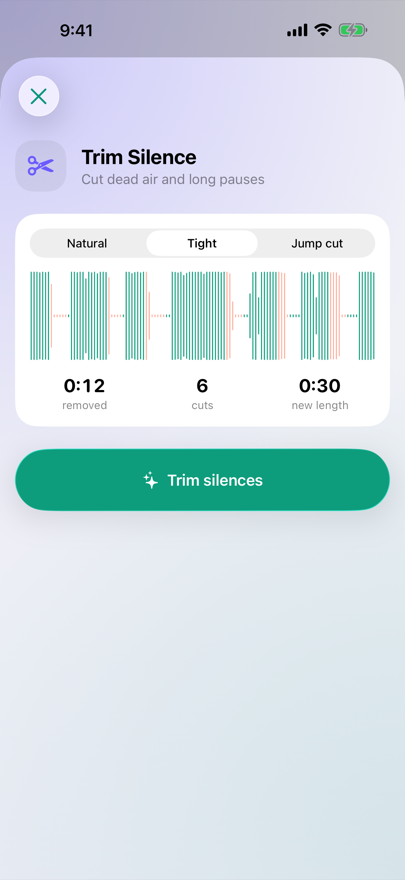
- Trim Silence cuts pauses (Natural, Tight or Jump cut) and previews every cut on the waveform. Remove Fillers cuts “um” and “uh” found in the transcript. Enhance Voice isolates speech, reduces background noise and levels the loudness. Each one renders a new export.
- Vertical Clips
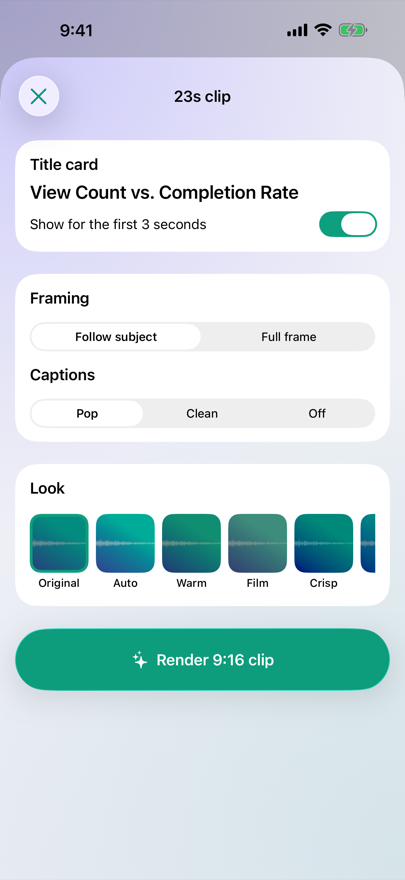
- Picks up to five moments of continuous speech, keeps the speaker in frame and renders 1080×1920 clips with word-highlight captions and an editable title card. On devices with Apple Intelligence, Apple’s on-device model also ranks and titles the moments.
See it work
Screenshots
What it does
- Bring in a video, voice memo or photo from Photos or Files, or share it to LocalStudio from another app.
- Tap Episode Pack to make the transcript, a clean episode with fillers cut and the voice enhanced, a Post Kit, a cover and vertical clips from your best moments in one run. Or run a single tool, such as Trim Silence, Translate or Remove Background.
- Preview what you made under Exports, then save it to Photos or share it.
Who it's for
People who record talking-head videos, podcasts and voice memos on iPhone or iPad and want transcripts, captions and 9:16 clips without uploading the recording to a cloud service.
Questions
What's free?
Transcription and plain-text transcripts, always. Every other tool is part of LocalStudio Pro, and your first 3 Pro exports are free, shared across all the tools. Pro is an annual or monthly subscription, or a one-time lifetime purchase.
Does it need an internet connection?
Once per language, for Apple's speech model download the first time you transcribe, and for purchases. After that, transcription works offline.
Why does Post Kit say it needs Apple Intelligence?
Post Kit, clip titles and Cover Maker's Illustration backdrop use Apple Intelligence, so they need a supported device with it turned on. If a step can't run, Episode Pack skips it and finishes the rest.
Are my projects backed up?
No. Projects stay on the device and are left out of iCloud backup, so save or share the exports you want to keep.