
WalkProof
Condition reports with signed, tamper-evident PDFs.
Beta: iPhone through TestFlight, 200 places
- Job
- Property condition reports
- You give it
- Photos taken room by room, each marked Good, Wear, Damage or Missing
- You get
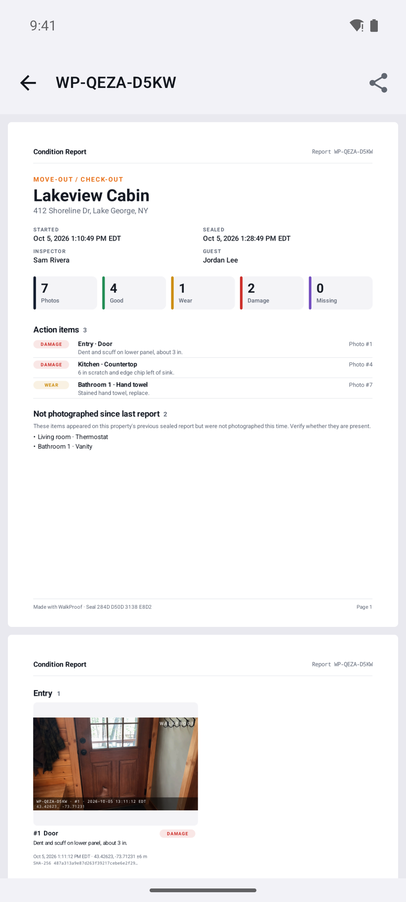
- A signed, tamper-evident PDF that anyone can verify in a browser
- Runs on
- Google Play · iPhone beta
- Account
- None needed
Overview
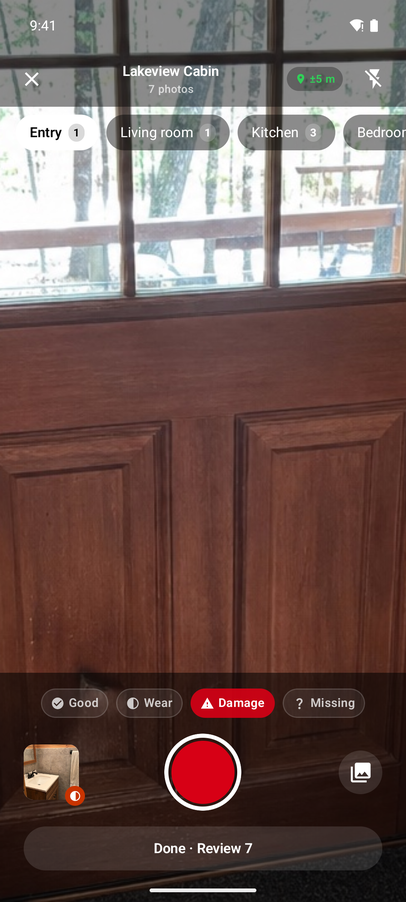
Walk a property room by room. The in-app camera files every photo under its room with the time (and GPS when a fresh location fix is available) while you flag Good, Wear, Damage or Missing as you shoot. Seal the inspection on site and hand over a signed PDF with the action items first.
Anyone can check a sealed report at meyerappstudio.com/walkproof/verify. Free for 3 sealed reports a month; WalkProof Pro is a subscription. No account required.
Features
- Room-by-room capture
- Pick the room, set the condition, shoot. Photos land under the right room with their time stamp.
- Sign & seal on site
- Every photo is fingerprinted at capture. Sealing signs the report with the phone's key, so any later edit shows.
- Action items first
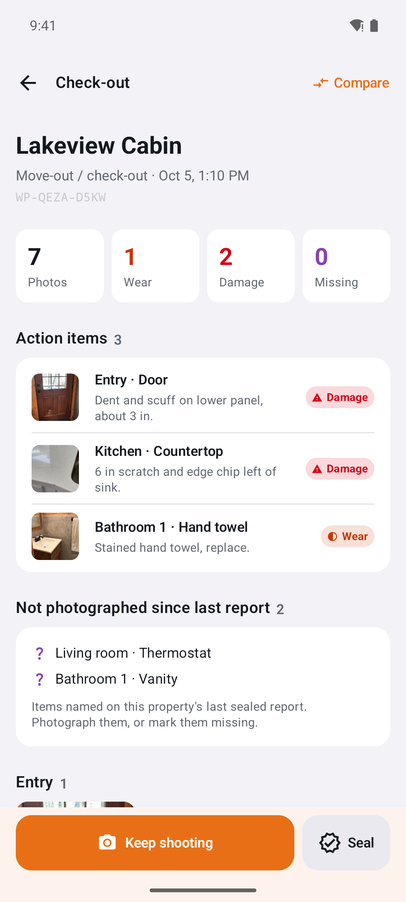
- The PDF leads with wear, damage and missing items, then photos room by room with a watermark on each one.
- Check-in vs. check-out
- Compare two inspections of the same property and see, item by item, what got worse.
See it work
Watch on YouTube how it works, in about a minute
Screenshots
What it does
- Add a property and its type (Short-term rental, Residential, Commercial or Job site), and WalkProof fills in a starting list of rooms.
- Start an inspection, such as Move-in / check-in or Move-out / check-out, and photograph each room. Pick Good, Wear, Damage or Missing for each photo. Each one is saved with the time, the room and, when location is allowed and the phone has a fresh fix, where it was taken.
- Tap Sign & seal. You sign, and a tenant, guest, owner or client can add a second signature. Sealing records a fingerprint of every photo and signs the inspection with your device's key, so any later change shows.
- Share the PDF report, which lists action items first, along with its verify file.
Who it's for
Landlords, property managers and short-term rental hosts who need a signed record of a property's condition at move-in and move-out, and tenants who want their own copy of that record. Real estate agents use it the same way: a signed, room-by-room record of a home's condition at a final walk-through or when it's listed.
Questions
Does WalkProof decide whether something is damaged?
No. You choose the condition for each photo. WalkProof suggests an item name, such as Refrigerator, and warns you when a photo looks blurry or too dark so you can retake it.
How does someone check a report?
They drop the verify file onto meyerappstudio.com/walkproof/verify. The check runs in their browser and nothing is uploaded. It shows whether the photos, times, conditions, notes and signatures are exactly as sealed. It doesn't identify who held the phone.
Can I fix a mistake in a sealed report?
Sealed reports can't be edited. Start a new inspection to record the correction.
What's free?
Capturing, sealing, sharing and verifying, with up to 3 sealed reports per month. WalkProof Pro is a subscription that adds unlimited sealed reports, your logo and company name on reports, comparison PDFs and CSV export.